To start off with, here’s an image of my scene in Unity right now. You’ll notice that it looks very similar to how it did last week, and that there is clearly no StyleBlit-ing happening yet.
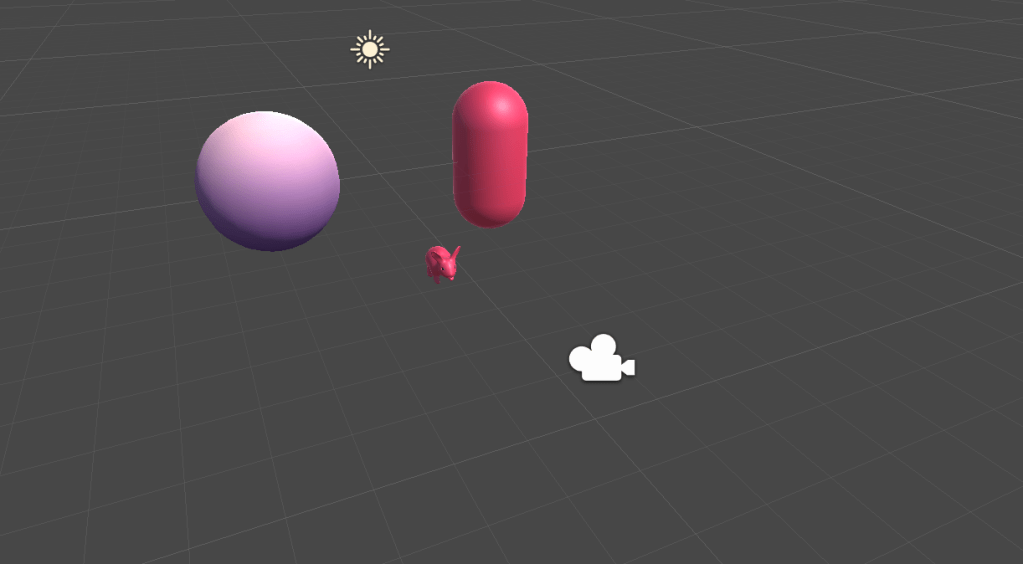
The rabbit above is a free asset from the Unity store with the StyleBlit shader applied, although it still looks relatively simple. The sphere shown here is one of the things that I worked on (read: fought Maya on) this week. It’s very simple, but it was modelled in Maya and includes UV data, as well as a simple texture. This texture is quite similar to one of the sample textures used in the StyleBlit paper (a red to green gradient) to illustrate the texture transfer.
I also began work on the shader itself. I began the implementation by writing the pseudocode for the fully parallel version of StyleBlit in the shader, and replacing that pseudocode with HLSL code in cases where I knew what was going on – i.e., replacing mathematical notations with more appropriate functions, and including return types where applicable.
While a lot of the pseudocode was fairly trivial to convert, there were 2 separate instances of more complex functions that I was struggling with. The first was part of the SeedPoint function:
SeedPoint(pixel p, seed spacing h):
  b = floor(p/h);
  j = RandomJitterTable[b];
  return floor(h ·(b+j))
Question 1: what is a random jitter table, and how do I make one? The paper’s authors describe an algorithmic way in which to generate this seeding table by creating a hierarchy of points, with the topmost level of points placed regularly throughout a grid and perturbed, with lower levels placed approximately halfway between points of the next highest level. That makes a lot of sense to me in theory. In practice, not as much. I believe that the best way to do this (for now), may be to generate it on startup so that the shader is not attempting to calculate it on each draw call. While the idea seems simple enough, it may be a little tricky to implement.
After figuring this out (or at least, guessing at what I actually needed to do), I realized that my shader was configured incorrectly for what I needed. For this to work, I need to make sure that I’m getting information on pixel data. Unity by default abstracts some of this lower level functionality in their standard “surface shaders”, which was also causing some confusion on my part. I am currently in the process of changing my shader’s configuration to use a proper vertex + fragment shader duo, which will allow me to control more of the input/output of each.
u* = argminu||GT[ql] – GS[u]||
Sykora et al
The authors suggest that some of these values can be found either by tree search (when multiple guiding channels are used) or lookup (when a single channel is used). For now, lookup should be sufficient as UV is the only guiding channel. I will be working on implementing this part of the algorithm in the next week as well.
Work for next week:
- Figure out the jitter table and argmin functions
- Try to get the StyleBlit shader working with simple textures
- Add watercolour textures to Unity
 StyleBlit: Image Stylization Project